Stop the bots.
Keep the humans.
GatekeepWP shields every form, login, registration, checkout and comment on your WordPress site — invisibly. No CAPTCHAs. No puzzles. No lost customers. And it shows you everything it stops, in plain words.
One install. Every form —
including the ones you'll add next year.
Protecting forms one plugin at a time is how gaps appear. GatekeepWP covers the whole site from a single screen.
Contact & lead forms
CF7, Gravity, WPForms, Fluent, Formidable, Ninja
Login pages
Credential-stuffing defence
Registration
No more fake accounts
Password reset
Stops reset abuse
Comments
Clean threads, zero moderation
WooCommerce checkout
Nothing visible in front of a buyer — ever
Membership & BuddyPress
Protect your community
bbPress forums
Spam-free discussions
LMS enrolment
No step between interest & signup
Page-builder forms
Elementor, Divi, Bricks
Whatever you build next
Shortcode, 2-line function, or the universal guard
33 integrations and counting — Contact Form 7 · Gravity Forms · WPForms · Fluent Forms · Formidable · Ninja Forms · WooCommerce · Elementor · Divi · Bricks · BuddyPress · bbPress
Watch what it catches
before you let it block anything.
The real fear with any security plugin isn't spam getting through — it's a paying customer being turned away. Monitor Mode records every decision GatekeepWP would have made, without touching a single visitor.
Observe
Switch on Monitor Mode. Nothing changes for visitors.
Understand
See what was flagged, on which form, and which signal caught it.
Tune
Adjust with confidence — every decision is explained in plain words.
Protect
Enforce blocking knowing exactly what it will do.
How does GatekeepWP stop spam without CAPTCHA?
Spam doesn't just hit your
contact form. It hits every way in.
Modern bots go after every place a visitor can interact with your site — and they only need one gap.
Fake registrations
Pollute your user list and skew every number you track.
Checkout abuse
Card testing and fake orders hammer your WooCommerce store.
Comment & forum spam
Makes your site look abandoned — and your brand look careless.
Login & reset attacks
Credential stuffing and password-reset abuse grind your server and put real accounts at risk.
Fake leads
Waste your team's time, poison your CRM, and quietly cost you real revenue.
One unprotected form is all it takes. How many of yours are protected right now?
The WordPress stack you already use.
Detected on activation. Nothing to wire up, per form or per plugin.
Different sites. Different threats.
Business websites
Keep the enquiry form usable and the inbox worth opening.
WooCommerce shops
Cut fake registrations and checkout abuse without a puzzle in front of a buyer.
Agencies
The same protection across every client site, with settings you can export and reuse.
Membership sites
Keep fake accounts out of the community you've spent years building.
Course creators
Protect student sign-up without adding a step between interest and enrolment.
Developers
Two function calls protect a form you wrote yourself. Hooks, filters, REST API.
Stop testing your visitors.
Start testing the submissions.
Traditional spam protection assumes everyone is suspicious — which is why your visitors are asked to find the traffic lights before they can send you a message. GatekeepWP does the opposite.
The usual way
- Visitor fills in your form
- "Identify all the buses"
- "Try again, that was wrong"
- Form is submitted… maybe
Every visitor pays the toll — including the customer who was about to buy from you.
With GatekeepWP
- Visitor fills in your form
- Weighed invisibly, in milliseconds
- Form is submitted. Done.
Only genuinely suspicious submissions ever see a challenge. Real people notice nothing.
Don't make every visitor prove they're human just because some bots are abusive.
Keep the CAPTCHA you have. We'll tell you what it misses.
You don't have to switch anything off, or take our word for anything. If your forms already run reCAPTCHA, GatekeepWP leaves it exactly where it is and watches. A fortnight later, it tells you how many submissions got through that it scored as attacks — and which signal gave each one away.
No other plugin will do this — because measuring a rival's protection isn't in any of their interests.
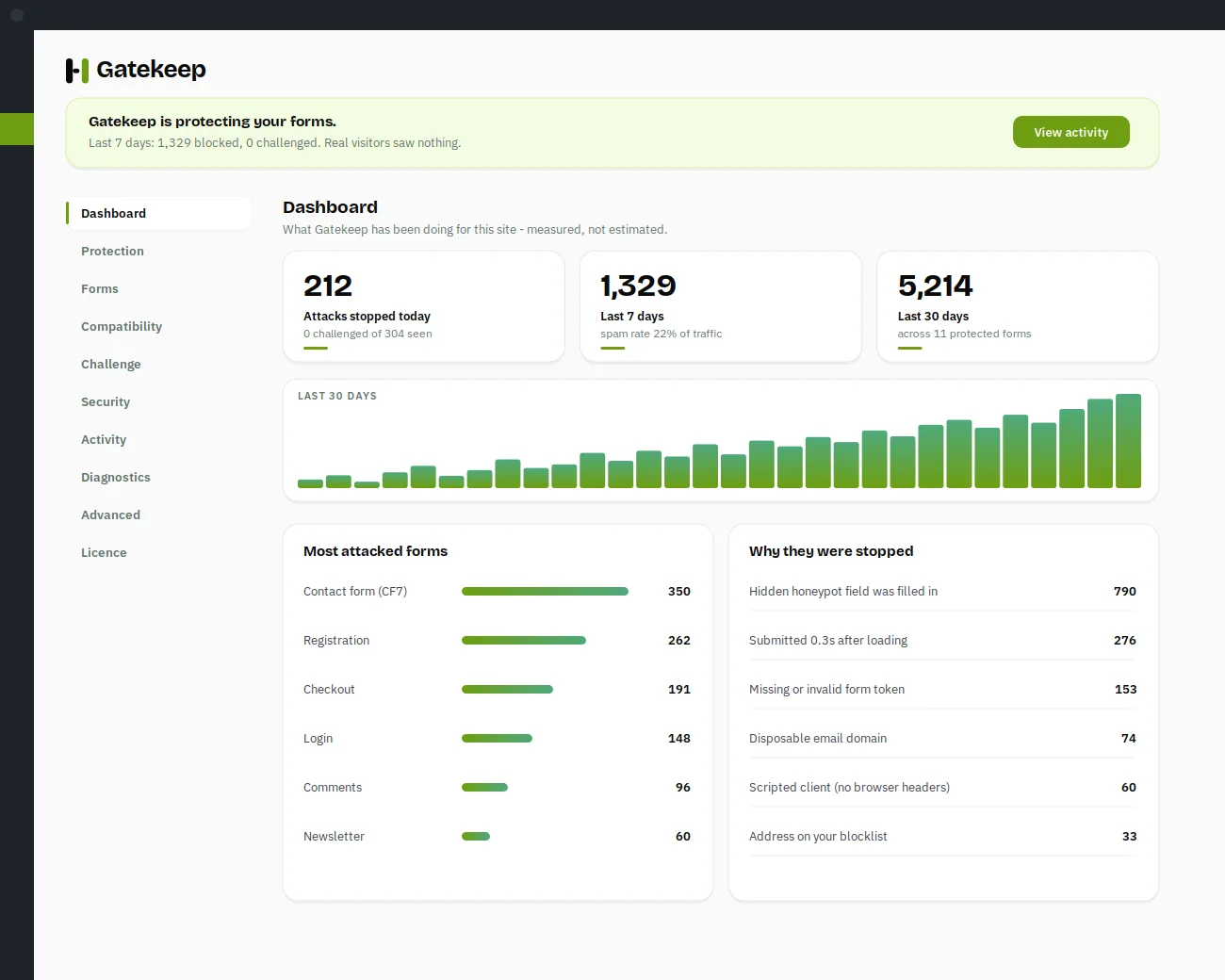
Not a mock-up. The actual plugin.
The same screens you get two minutes after installing it.
Dashboard
What was stopped, on which form, and why.
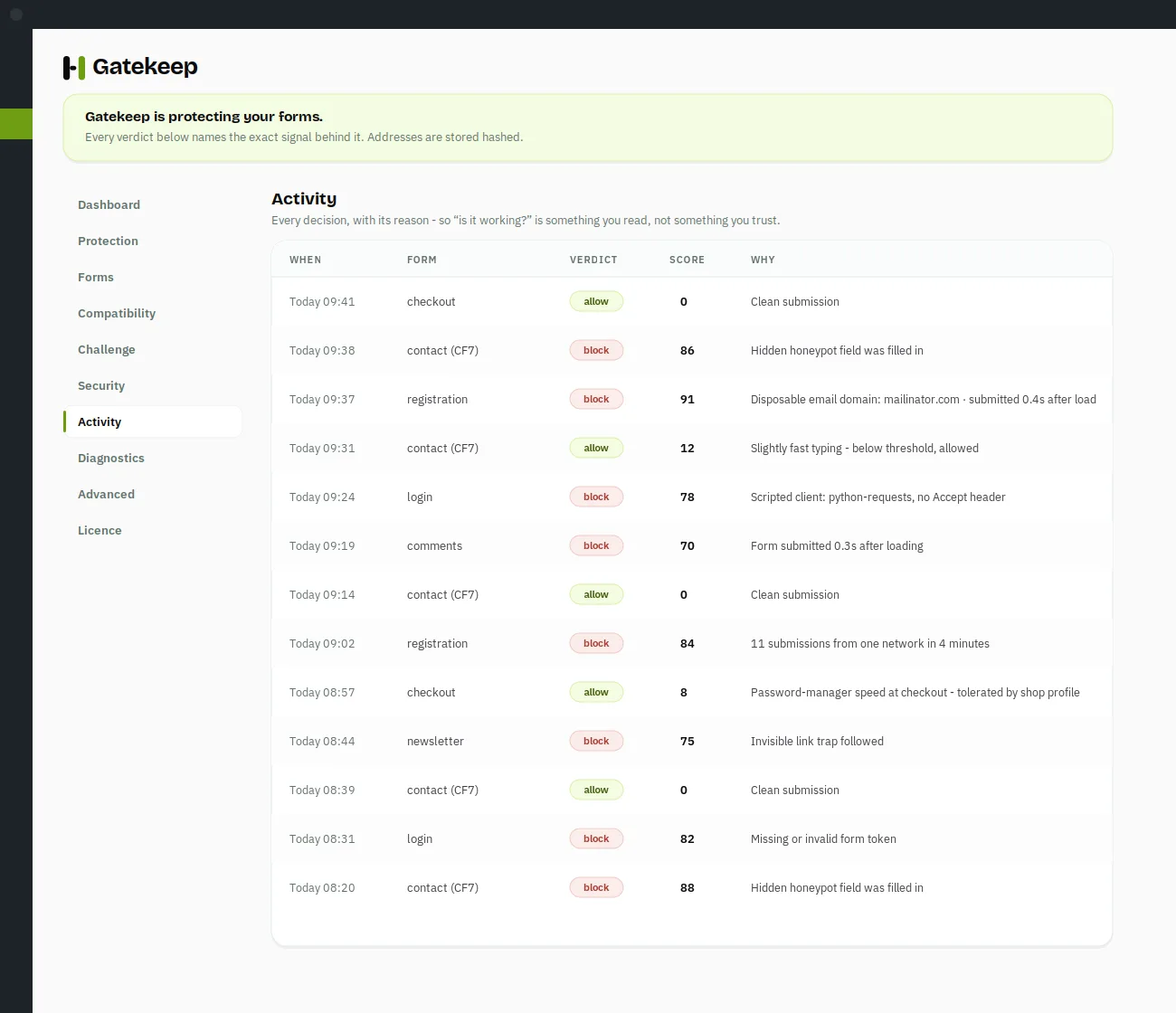
Activity
Every decision in plain sentences.
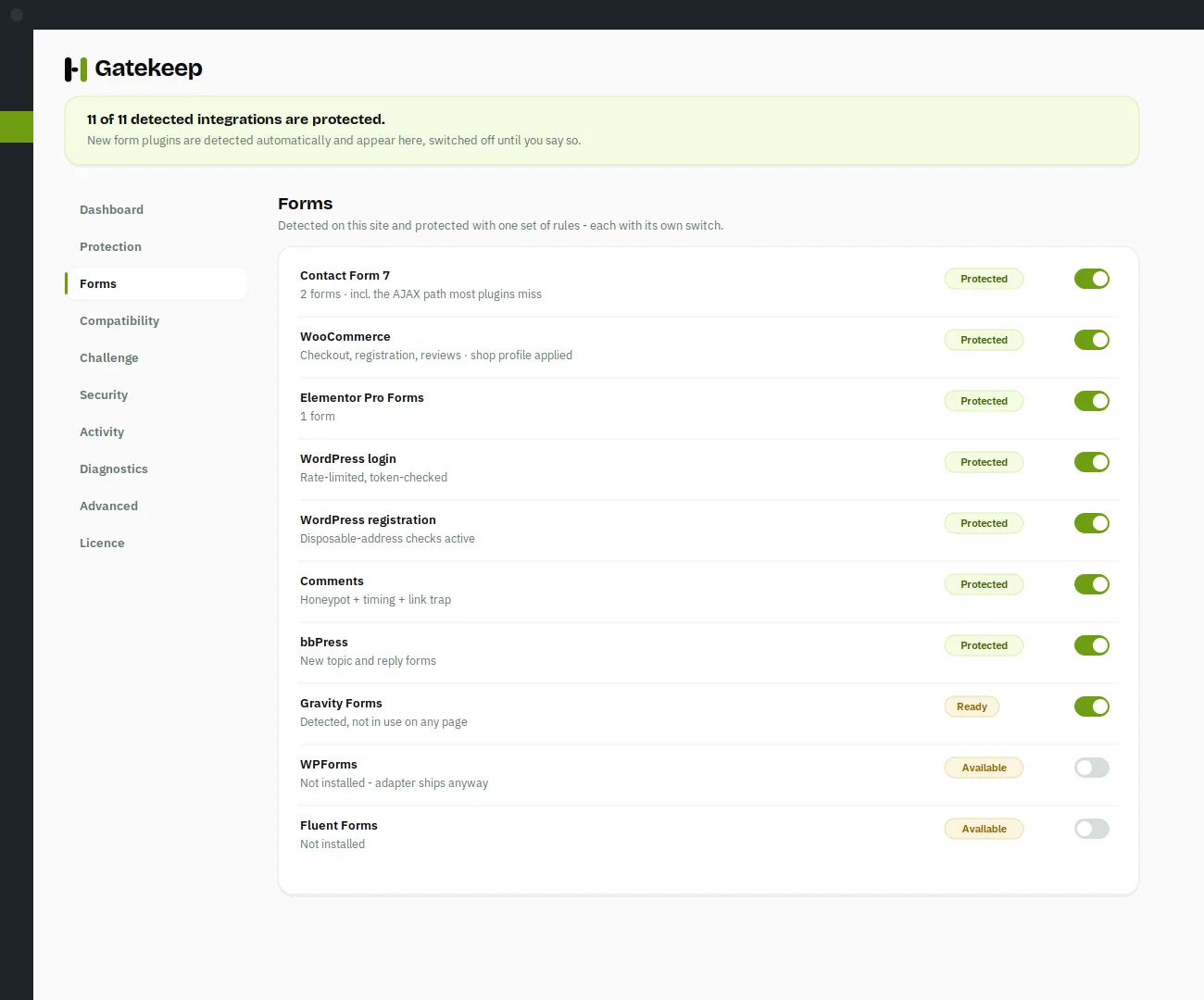
Integrations
Every form plugin it found on your site.
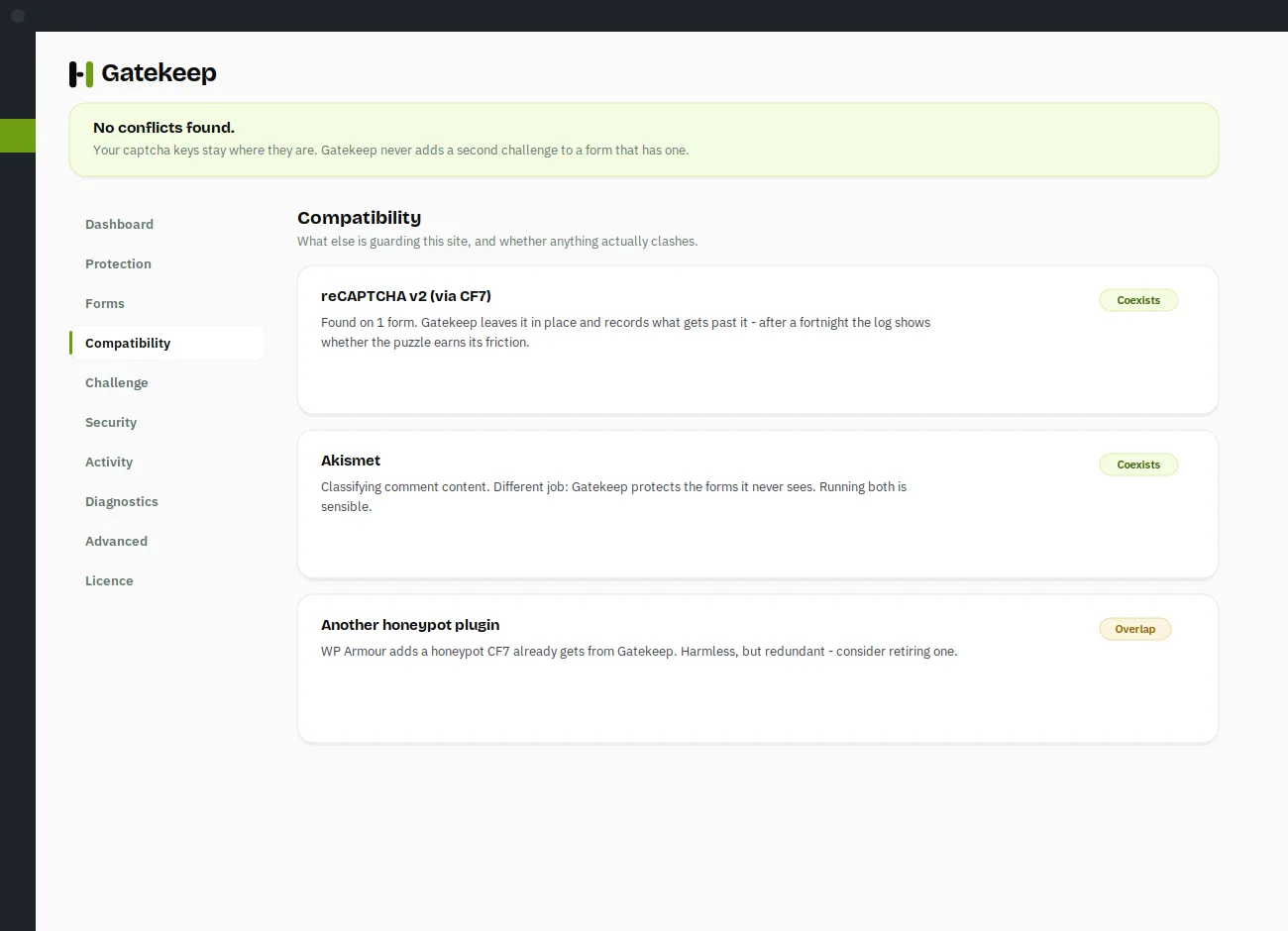
Security audit
Findings you can fix in one click.
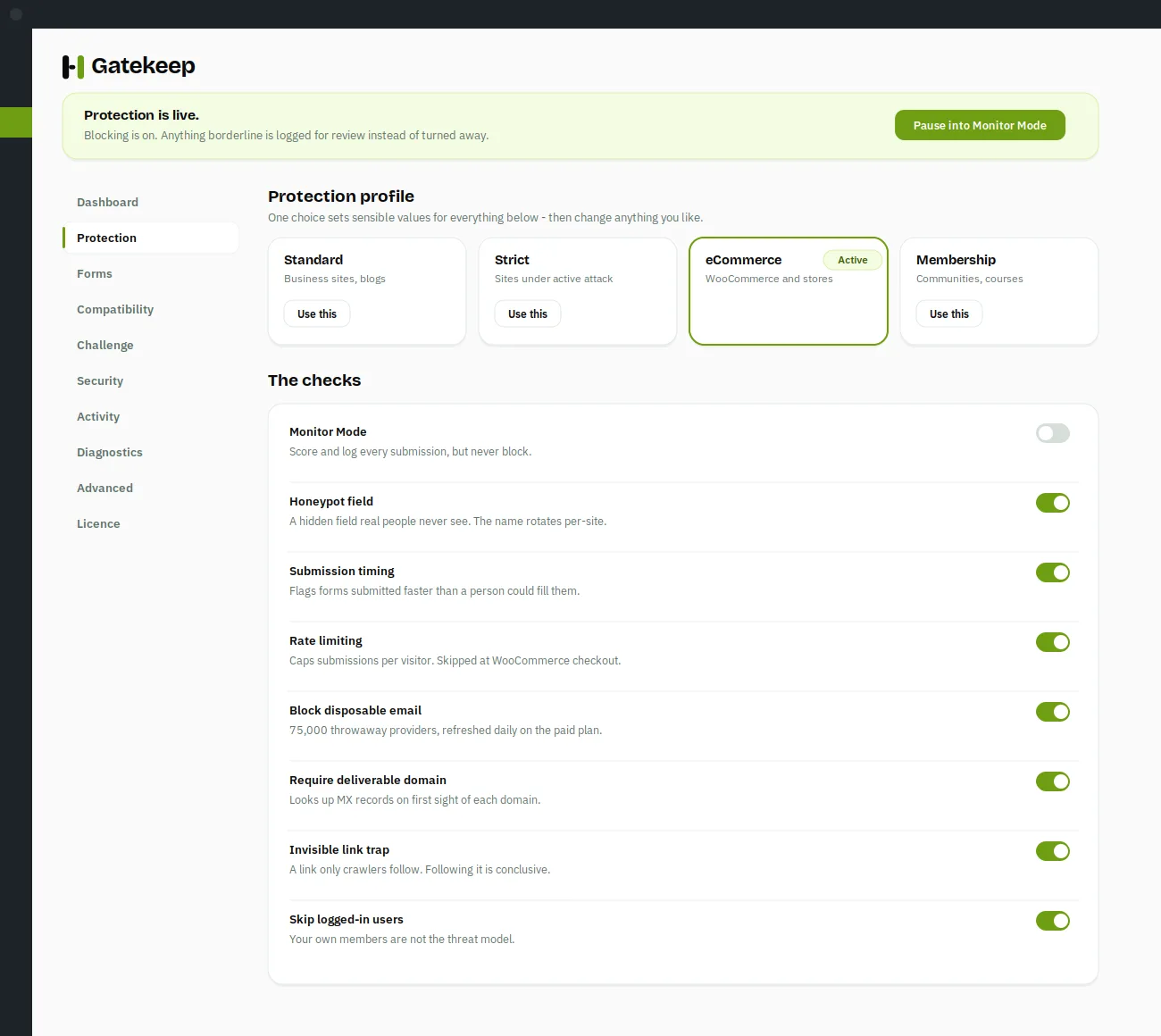
Protection profiles
One setting, not forty.
Every filter reports what it blocked. None report what they missed.
That is the number that actually tells you whether you are protected — and it is missing from every anti-spam dashboard on WordPress, including the ones with millions of installs.
A total with a denominator
Not “12 blocked” but “12 blocked of 4,310 submissions”. Gatekeep records every submission, clean ones included, because spam that gets through is by definition spam that scored nothing — so a log without the clean rows has a blind spot shaped exactly like its own failures.
Signals a human cannot avoid
Most checks measure how a form was sent — speed, tokens, hidden fields. Someone typing at human speed passes all of them. Gatekeep also reads what was sent: sender domains built out of yours, addresses disguised as “example dot com”, messages that are mostly links, and the same pitch arriving again and again.
Watch before you block
Monitor Mode scores submissions without stopping any, running alongside whatever protection you already have. Read a week of real verdicts, see what your current filter let through, then decide. Nothing else will show you that.
Free stops your spam. Paid keeps it stopped.
Every protection mechanism is free forever. A licence adds the daily threat list, the hardening module and more sites.
Free
One site. Every entry point, the full signal engine, Monitor Mode and the activity log. No account, no key.
Download freePro
Everything free, plus the daily threat list, disposable-email checks, the hardening module and priority support.
See the plansSecurity shouldn't hold your website hostage.
Your site should never break because a licence expired. With GatekeepWP, nothing stops working when a subscription lapses — no form fails, no setting is lost. The licensed extras switch off; you keep the version you have.
We'd rather earn your renewal than hold your website hostage.
The things people ask first.
Because the checkbox is solved by paid CAPTCHA farms for fractions of a cent, and v3 scores whole attacks as human once the bot runs a real browser. A challenge only tests the moment of submission. GatekeepWP scores the whole submission — timing, field behaviour, origin, content — so the giveaways a CAPTCHA never sees still count against a bot. It runs happily alongside the CAPTCHA you already have.
Two reasons. First, reCAPTCHA only covers the forms you put it on — not your login, registration, checkout or comments. Second: keep it. GatekeepWP leaves it alone and records what gets past it, so after a fortnight you'll know exactly how big the gap is instead of guessing.
That's the failure that costs you money, so the plugin is built around avoiding it. Signals combine so several weak ones can't add up to a block, obvious attacks are stopped immediately, and anything borderline is recorded for review rather than turned away. If something is ever caught wrongly, the log tells you exactly which signal did it — so you relax one setting, not the whole thing.
Yes — there's a dedicated shop profile. It deliberately puts nothing visible in front of a buyer, tolerates the instant submission a password manager produces at checkout, and raises the submission limits so a busy shop doesn't trip them.
It adds about 380 bytes to a form and loads no JavaScript by default. Nothing that isn't needed for a page view is loaded on one — the licence client, update checker and whole admin interface stay out of the way of your visitors.
There are 33 integrations covering Contact Form 7, Gravity Forms, WPForms, Fluent Forms, Formidable, Ninja Forms, WooCommerce, bbPress, BuddyPress and the major page builders. Anything unusual is covered by a shortcode, a developer function, or the universal guard.
Nothing breaks. No form stops working and no settings are lost. The licensed extras switch off and you keep the version you have — you simply stop receiving new ones until you renew.
No. GatekeepWP works out of the box with no account, no keys and no external service. The paid tier adds a threat list that updates daily, which does need a licence — but nothing on the free tier phones anywhere.
Ready to protect every form?
Install it, let it read your site, and look at what it found. Two minutes, no account, no card — and if your existing setup was fine all along, it'll tell you that too.