How it works
Nothing to configure. Nothing for anyone to solve.
Four steps, and you only take the first one. Activate it, glance at what it found, watch it work for a few days, then turn it up. Your visitors never see any of it happen.
Install Gatekeep
Activate it like any other plugin. There is no account to create, no API key to paste, and nothing to configure before it starts working.
It reads your website
The first screen is not a settings page. Gatekeep looks at what you have installed and lists the forms and entry points worth protecting, so you can check it understood your site before it does anything.
- Contact Form 7found
- Gravity Formsfound
- WooCommerce checkoutfound
- BuddyPress registrationfound
- WordPress loginfound
- Commentsfound
It recommends, and explains why
A shop faces different risks from a personal blog, and a membership community faces different risks again. Gatekeep suggests the protection that suits what it found, and tells you what led it there rather than asking you to choose from a list of names.
Recommended protection
Membership & community
"We found BuddyPress, bbPress and WordPress registration. Fake sign-ups usually cause more trouble than contact-form spam, so registration and login get the stronger checks."
- Business website — balanced across every form
- WooCommerce shop — relaxed at checkout, firm elsewhere
- Membership community — strongest on registration
- Learning platform — focused on student sign-up
Protection starts immediately
Obvious attacks are stopped from the first request. Filling in a hidden field, following a link no person can see, or arriving from an address you have blocked are not mistakes a real visitor can make, so there is nothing to wait and check.
Anything genuinely borderline is recorded instead of blocked, so you can look at the judgement before it starts turning anyone away. Most people leave it that way for a few days, read the log, and then turn enforcement up.
Every submission is weighed up
Rather than one rule deciding everything, Gatekeep looks at several indicators together — how the form was filled in, how fast, from where, how often, and what the submission contains.
They combine so that several weak signals cannot add up to a block on their own. That matters more than it sounds: it is what stops an unusual but genuine customer being turned away because three small things about them looked slightly odd.
A challenge only when it is warranted
Most visitors never see anything. If a submission sits in the uncertain middle, Gatekeep can ask for something — a small sum, a checkbox, or a service you already use such as reCAPTCHA, hCaptcha, Turnstile or Friendly Captcha.
And if you would rather it never showed anything at all, that is the default.
Everything is written down
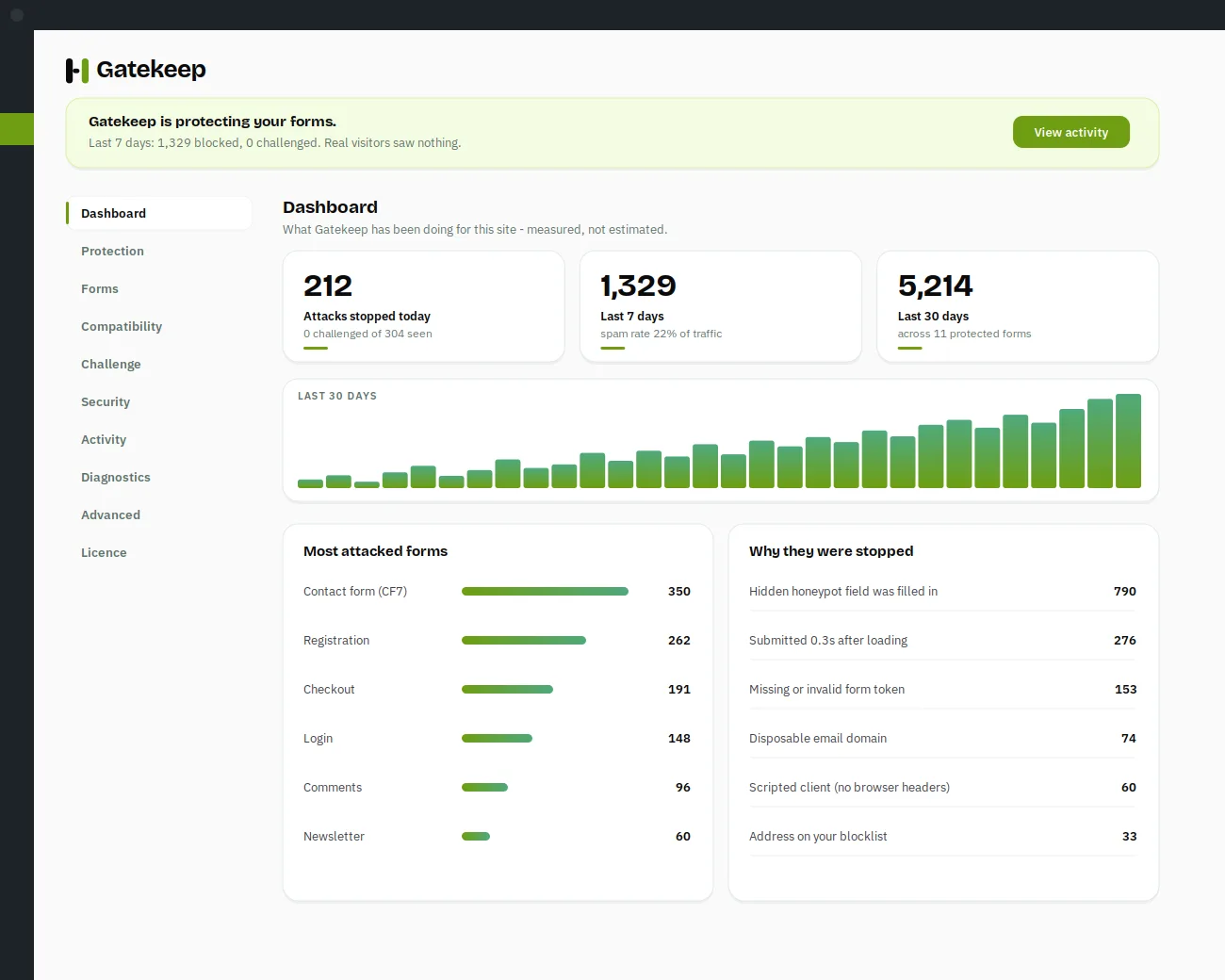
Every decision goes into a timeline: which form, when, what happened, and which signal caused it — in plain words rather than codes.
If something is ever caught wrongly, this is how you find out which single setting to relax — rather than switching the whole thing off.
It keeps up as your site grows
You install new plugins, launch new forms, build new landing pages. Gatekeep notices what is new, and it watches its own integrations too — if a plugin update moves the hooks it relies on, it spots that its adapter stopped firing, switches on generic protection so those forms are not left bare, and tells you.
The difference
Most plugins add obstacles. This one makes better decisions.
Assuming every visitor is a threat is easy to build and expensive to run — you pay for it in abandoned forms and abandoned baskets.
Working out which submissions are actually suspicious is harder, and it is the difference between a cleaner inbox and a slower business. Fewer fake registrations, less time deleting things, and no puzzle between an interested customer and the message they were trying to send you.
See it on your own site
Install Gatekeep, let it look at what you have, and read what it suggests. If you disagree with it, change it - everything stays adjustable.
- Free forever
- No account needed
- Nothing to configure
Your next spam submission is already on its way
Do not make your customers solve another puzzle to stop it. Install Gatekeep, let it inspect your site, see what it finds - then decide whether it blocks anything at all. If it is not doing what this page says, delete it; you have lost two minutes.
Two-minute setup - no account - no card - no API key - GPL licensed